Case Studies

Case Studies

Real projects, told the same way every time: the challenge, the users, my role, my approach, the outcome, and what I took from it.

Case study 01

AI Chatbot & Admissions Support

RAG-based AI chatbot for admissions enquiries, built and delivered at The University of Hong Kong.

  • +20%user engagement
  • +50%site performance
  • +30%organic traffic
Challenge
Admissions enquiries were repetitive and time-consuming to handle manually.
Users
Prospective students and their parents contacting HKU with admissions questions.
My role
Led the RAG AI chatbot for admissions enquiries; built the CMS and content structure feeding it; ran generative AI workshops for non-technical staff.
Approach
RAG-based chatbot design grounded in structured, maintained content rather than open-ended generation, with ethical-AI and data-privacy protocols for its use.
Outcome
Measurable gains across the school's web platforms during the role, plus a centralised DAM system for digital assets.
Reflection
Responsible AI works best when it's paired with disciplined content governance, not as a standalone feature.
Screen recording of the admissions chatbot on the MDASC programme site, answering entry-requirement questions on mobile.

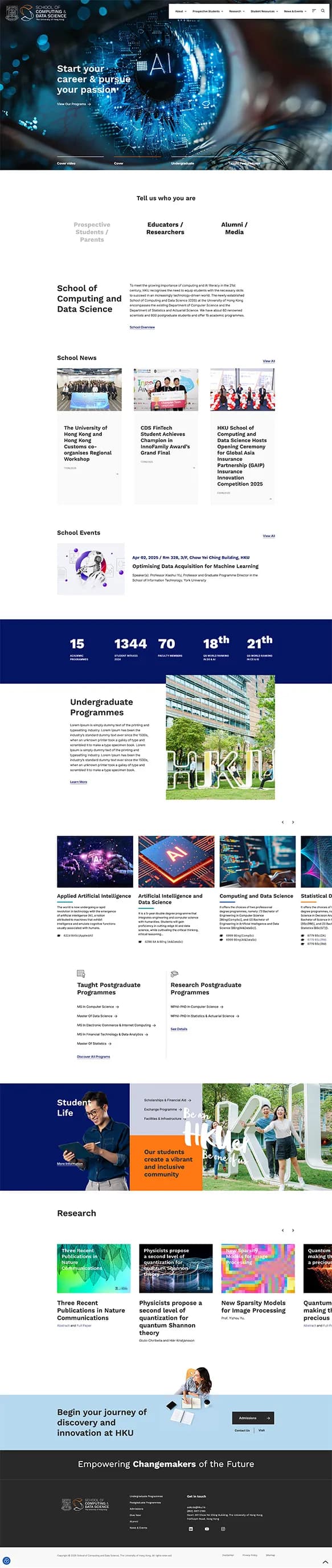
The school website

School of Computing and Data Science home page
Home
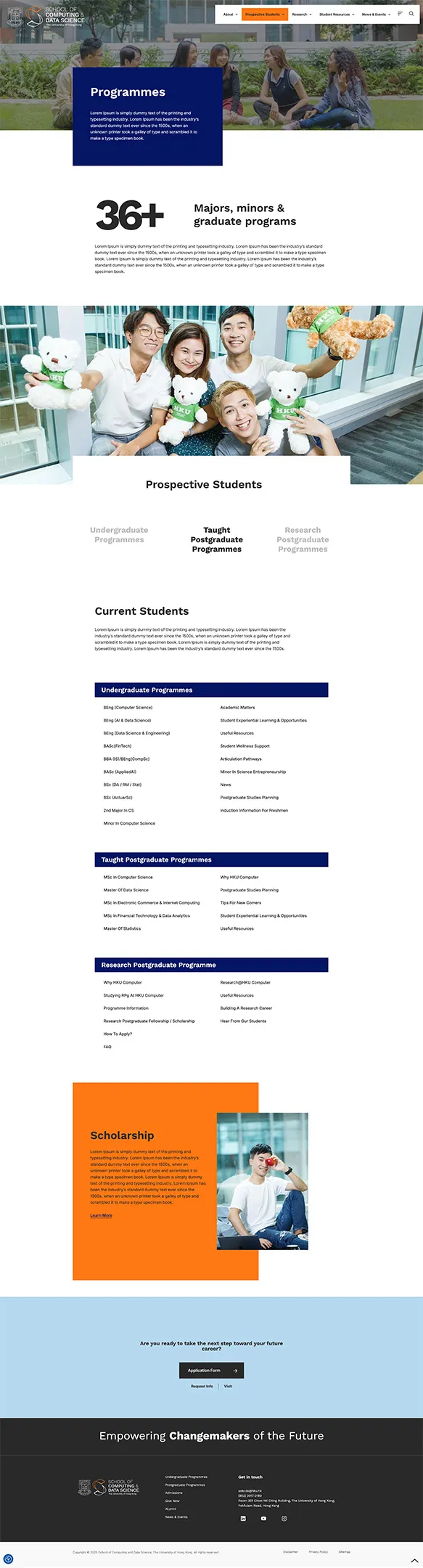
Programmes page
Programmes
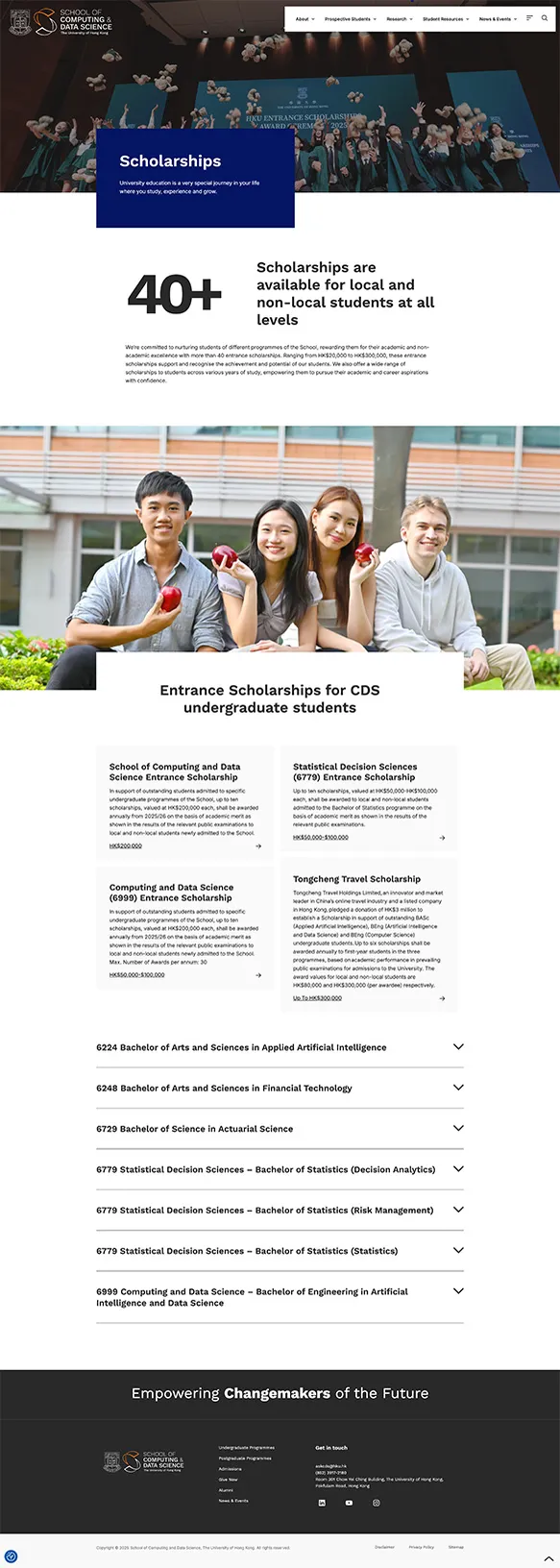
Scholarships page
Scholarships
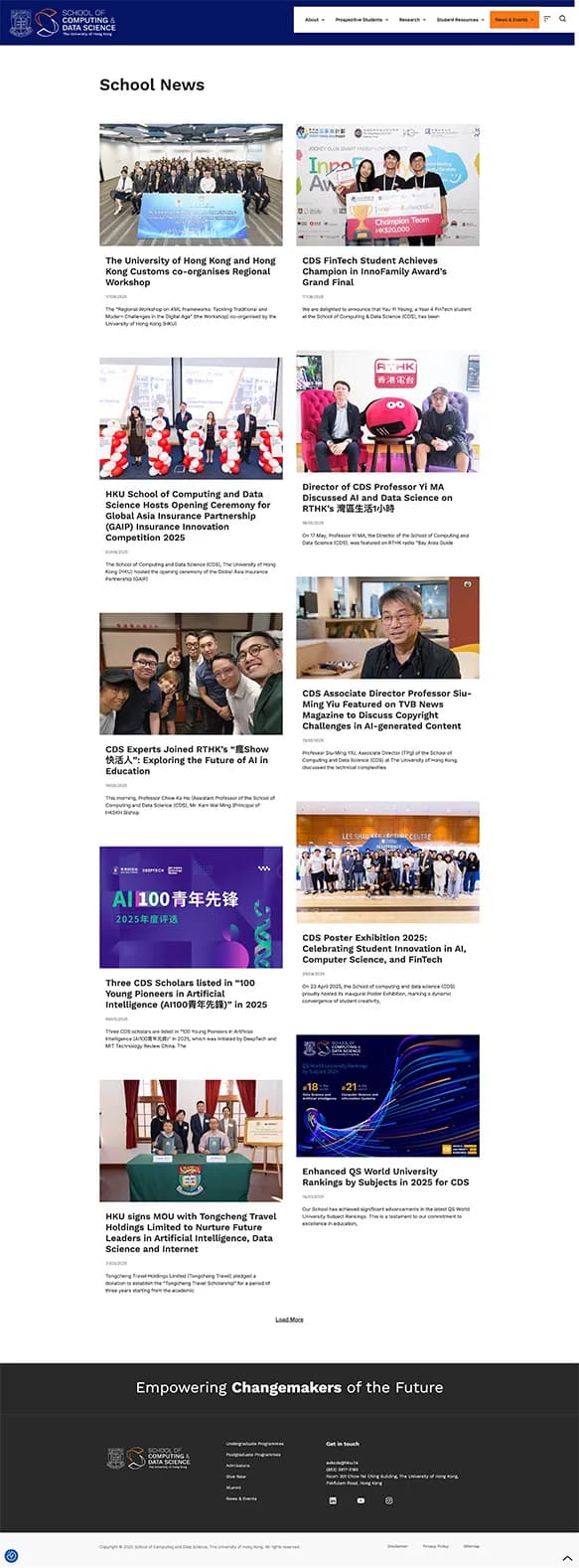
School news page
School news

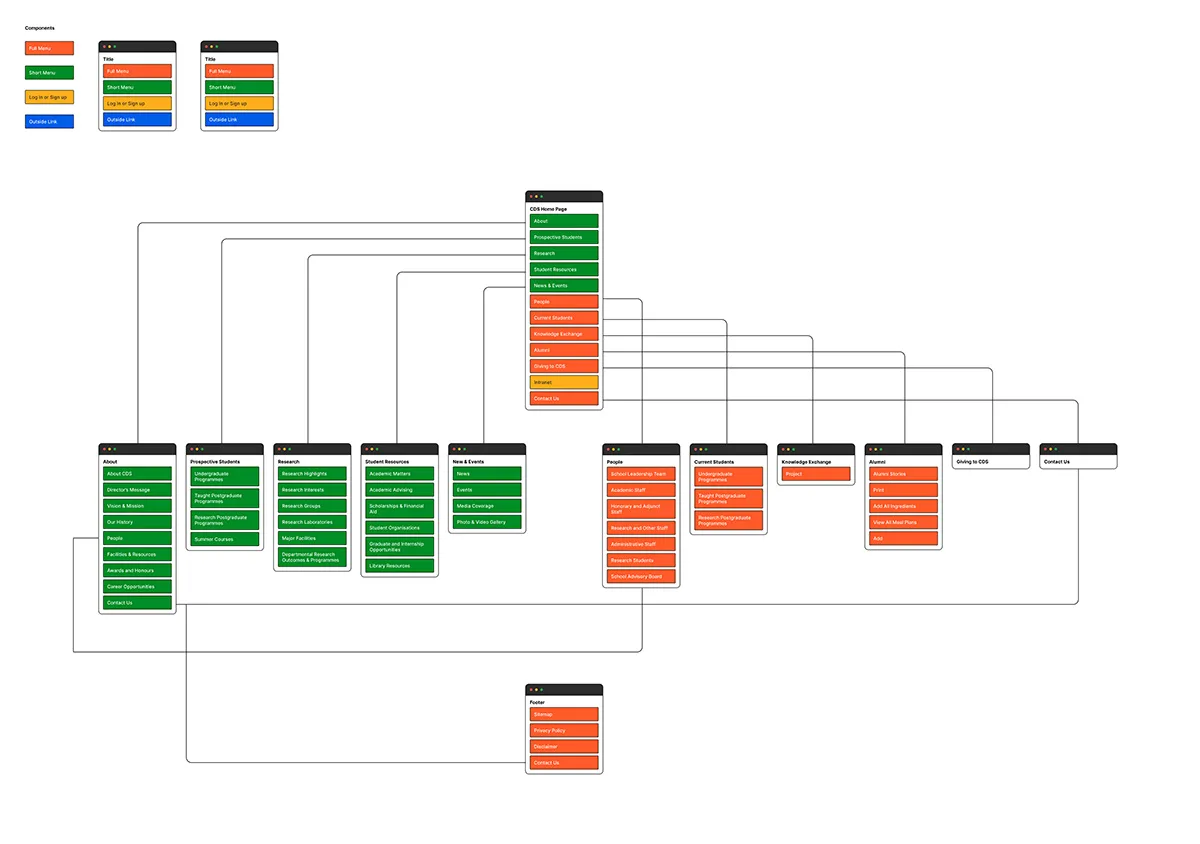
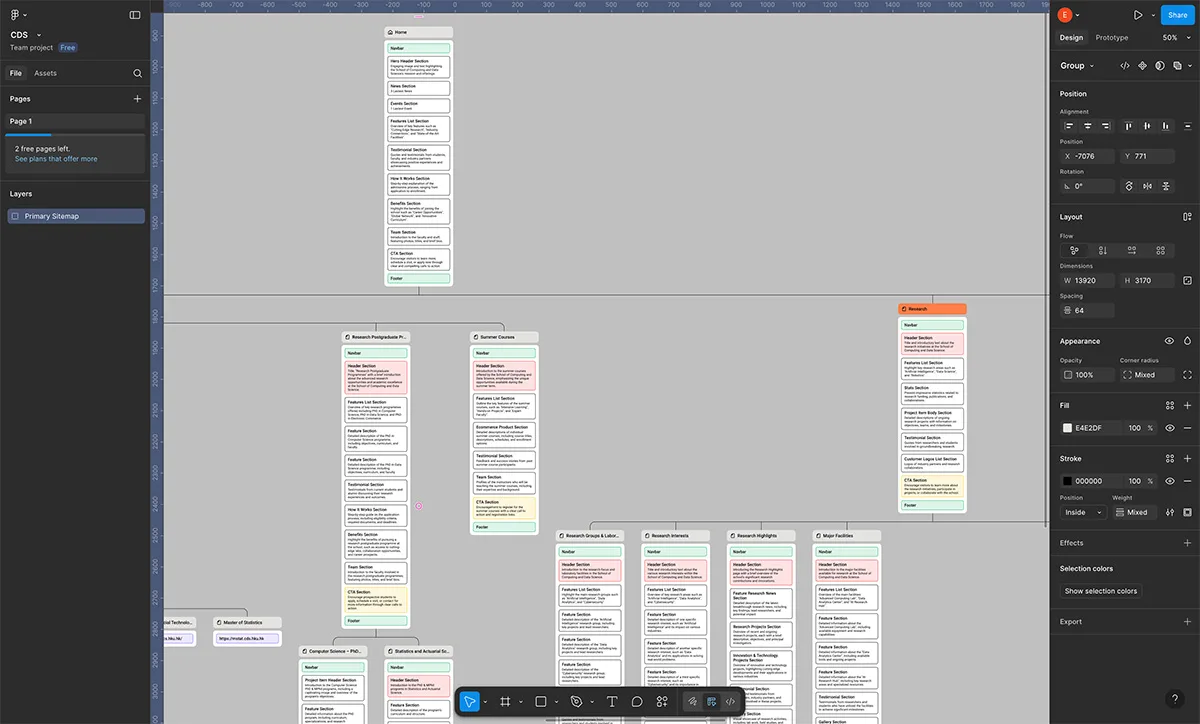
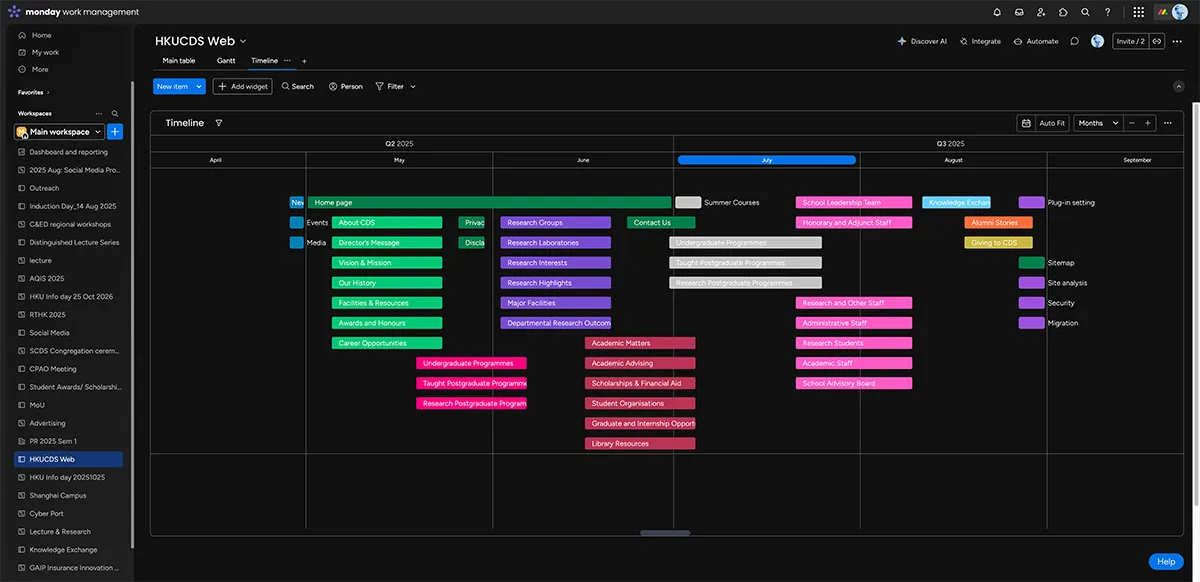
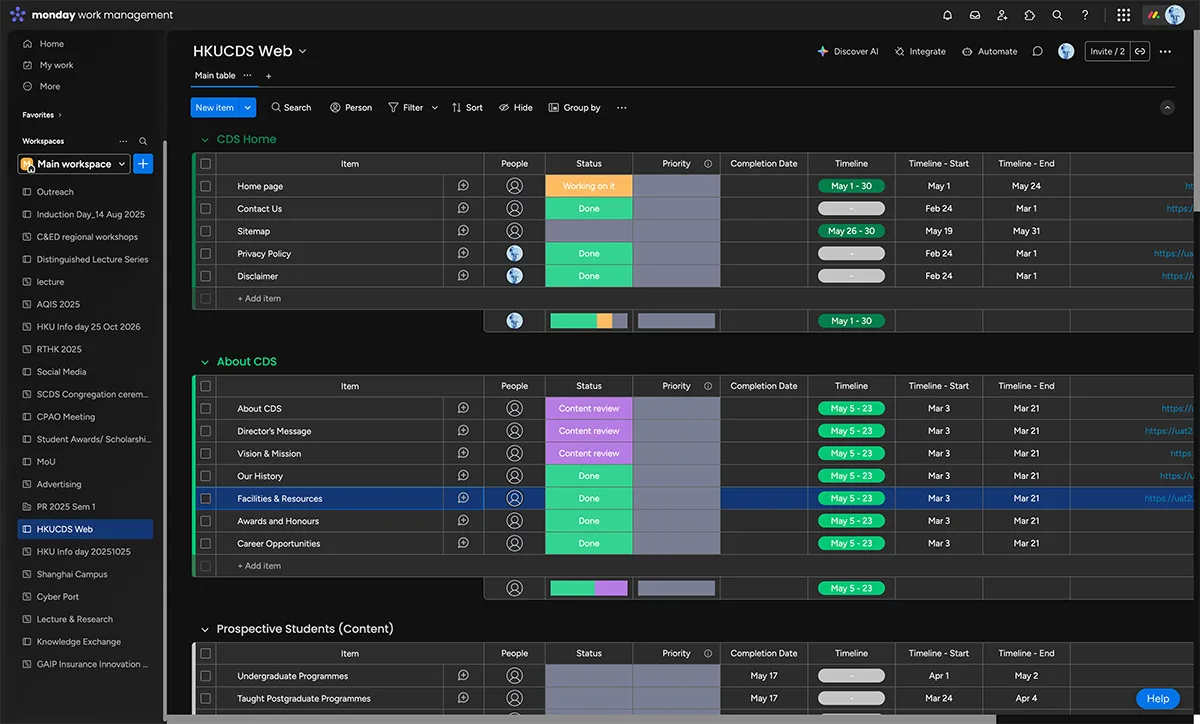
How it was planned
Site map diagram of the school website
Site map
Page layouts in the design file
Design file
Project timeline for the website build
Project timeline
Content tracker listing pages by section and status
Content tracker
Case study 02

HKUMedicare Community Health Website

Built the entire HKUMedicare community health website, covering all 18 districts, from scratch on WordPress as the sole developer.

  • +314%visitors
  • +52%search clicks
  • 5 monthsfrom scratch to launch
Challenge
A public health site has to be accessible to everyone. Blind, low-vision and light-sensitive visitors need to read and use it comfortably in low light or on a dark background, so the site needed a dark mode. On phones, speed and UX mattered just as much, so people can find what they came for quickly.
Users
Members of the public across Hong Kong's 18 districts, and the client's four-person team who run the site day to day.
My role
Sole developer on a freelance contract, working with the Faculty's Student Wellness & Engagement Team.
Approach
A WordPress build with a dark mode and a fast, focused mobile experience, made for extensive HD photography and video and for sharing on social media. It was handed over with an online CMS course and 10 video tutorials for the client's team.
Outcome
Delivered in five months and launched on the client's required date. In the 28 days to 2 October 2026, visitors were up 314% and search clicks up 52% against the previous 28 days (Google Site Kit).
Reflection
Handover is part of delivery: the course and tutorials are what let a four-person team run the site themselves.

The live site

The site is mainly in Traditional Chinese for the Hong Kong community it serves.

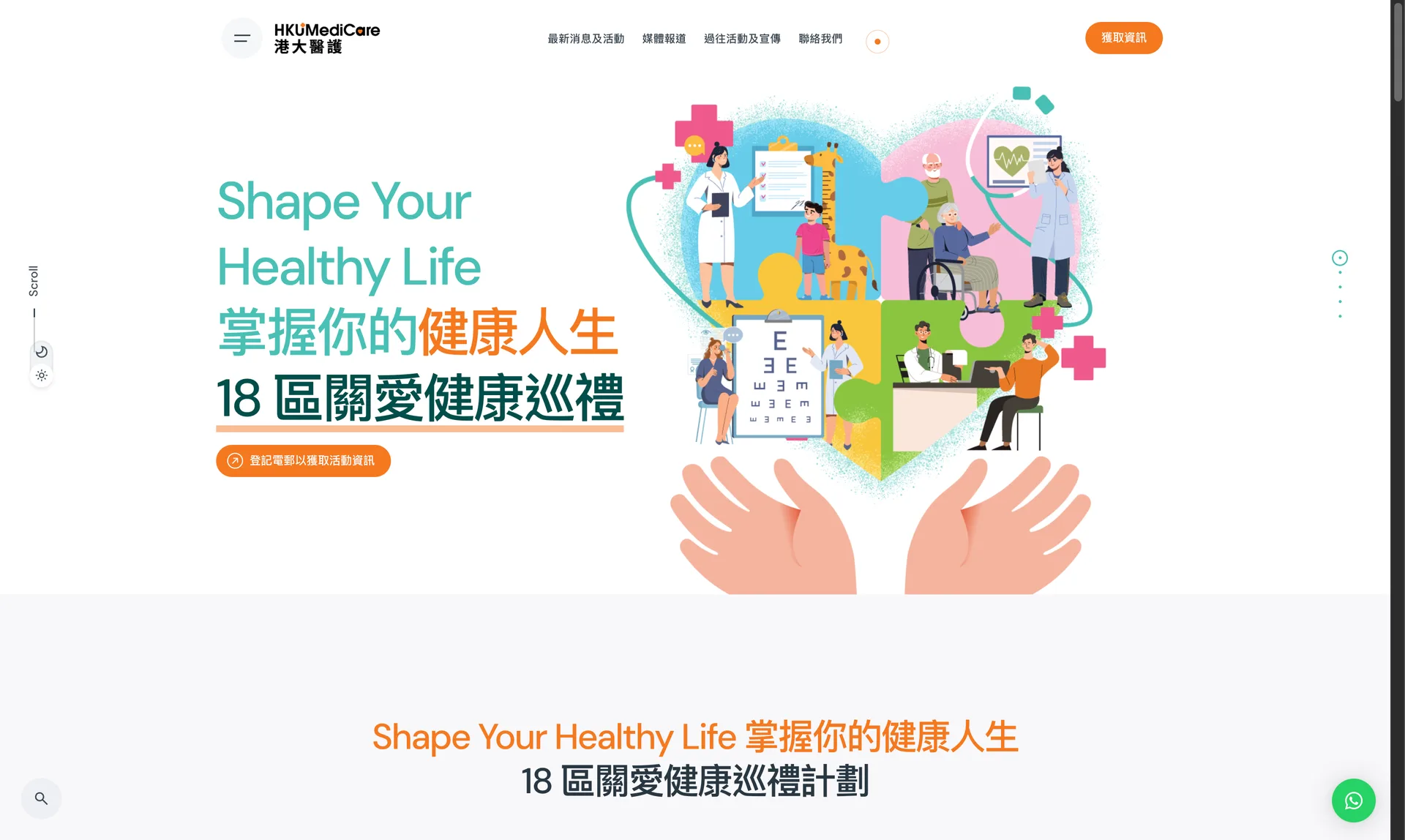
Home page hero: Shape Your Healthy Life, the 18-district community health programme
Home page
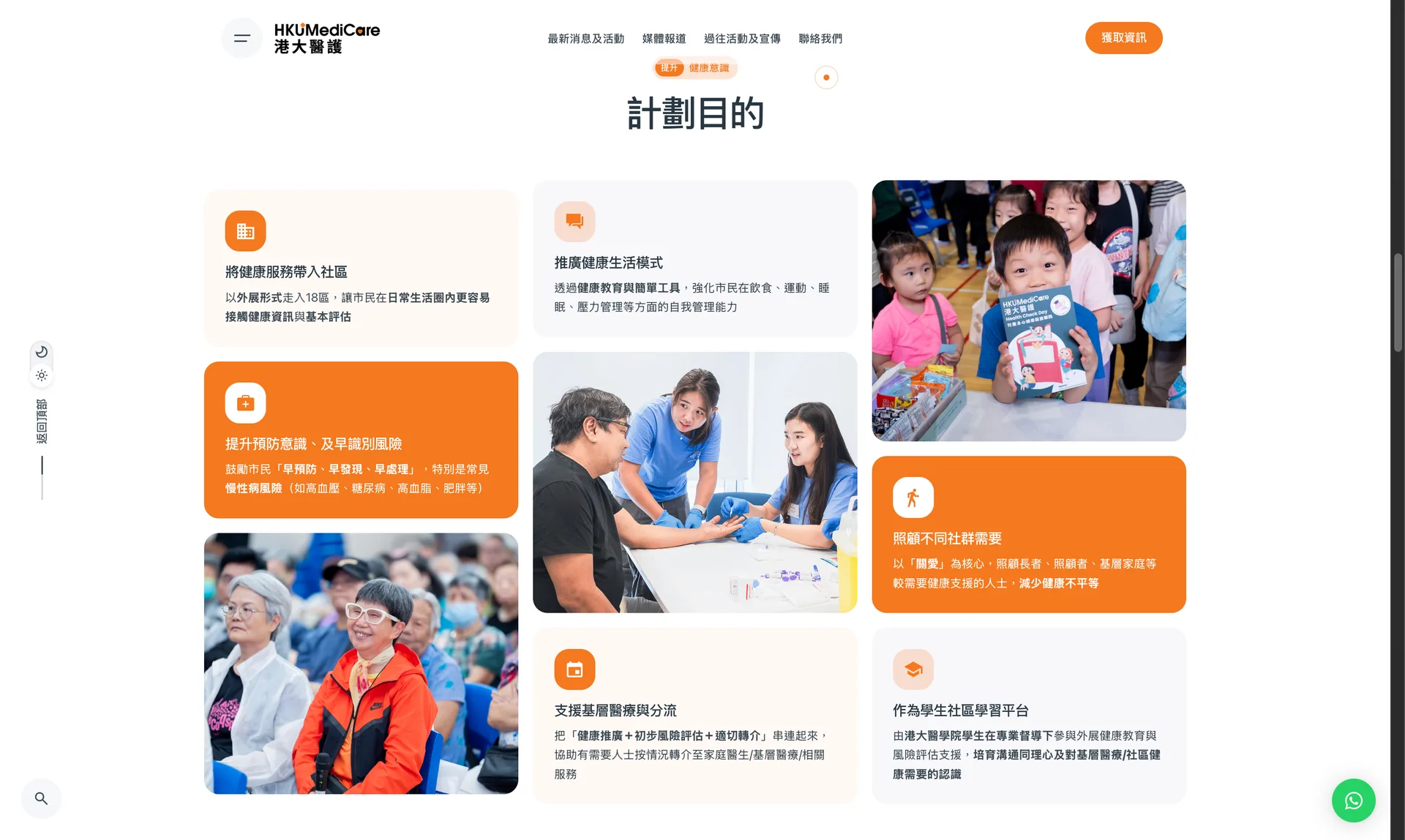
Programme aims shown as a grid of cards and photographs
Programme aims
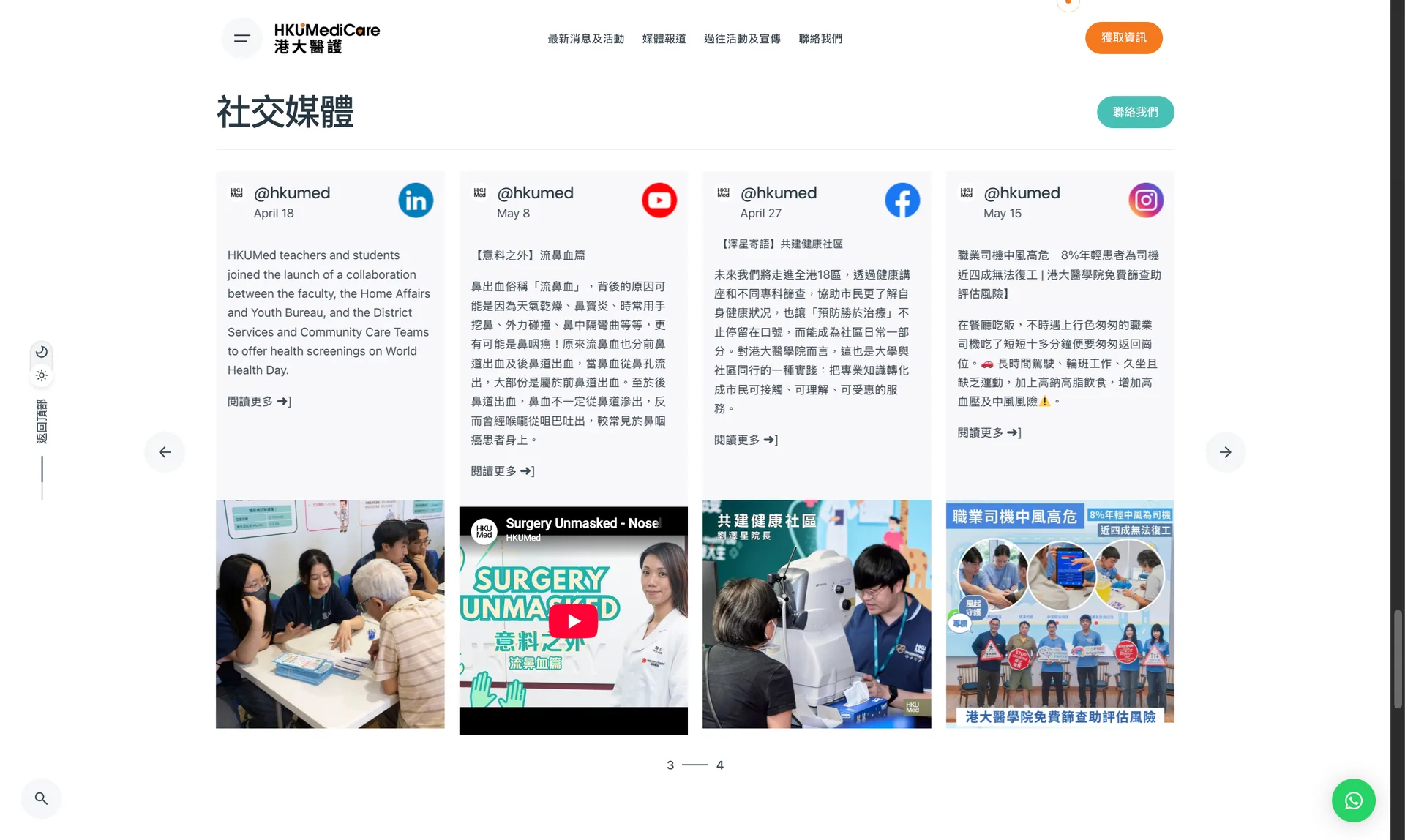
Social media section with posts from LinkedIn, YouTube, Facebook and Instagram
Social media feed
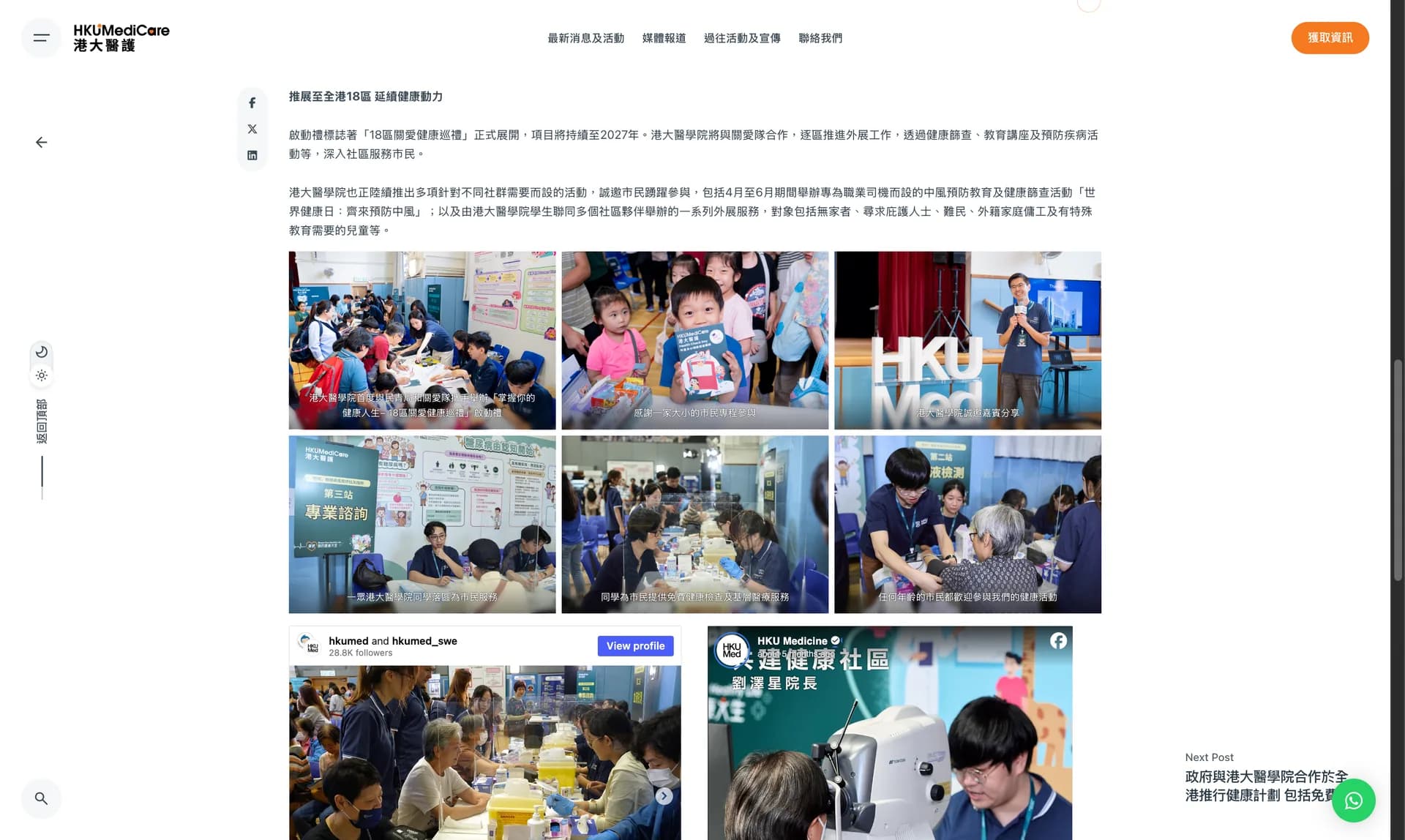
News story page with a photo gallery of community health events
News story with photo gallery
Case study 03

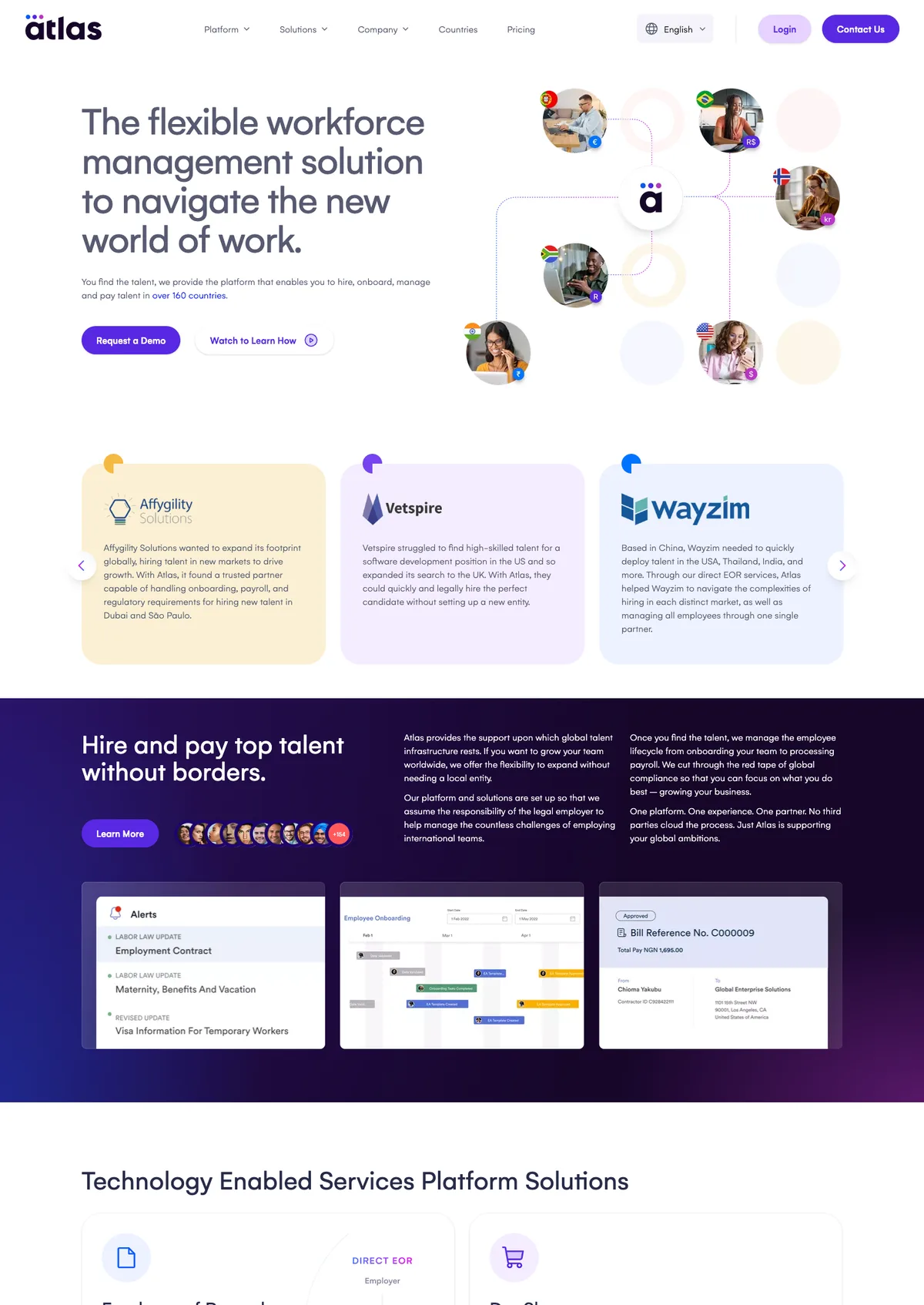
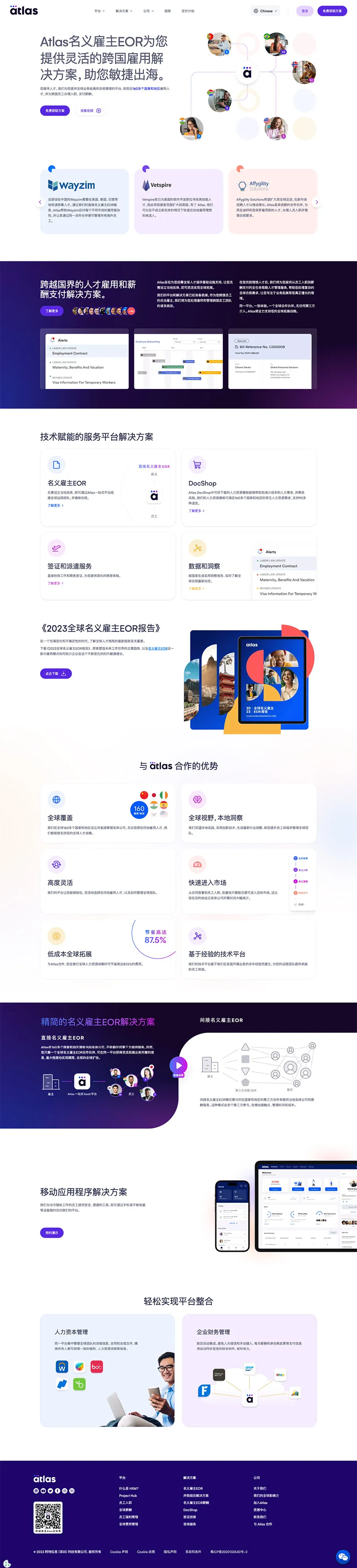
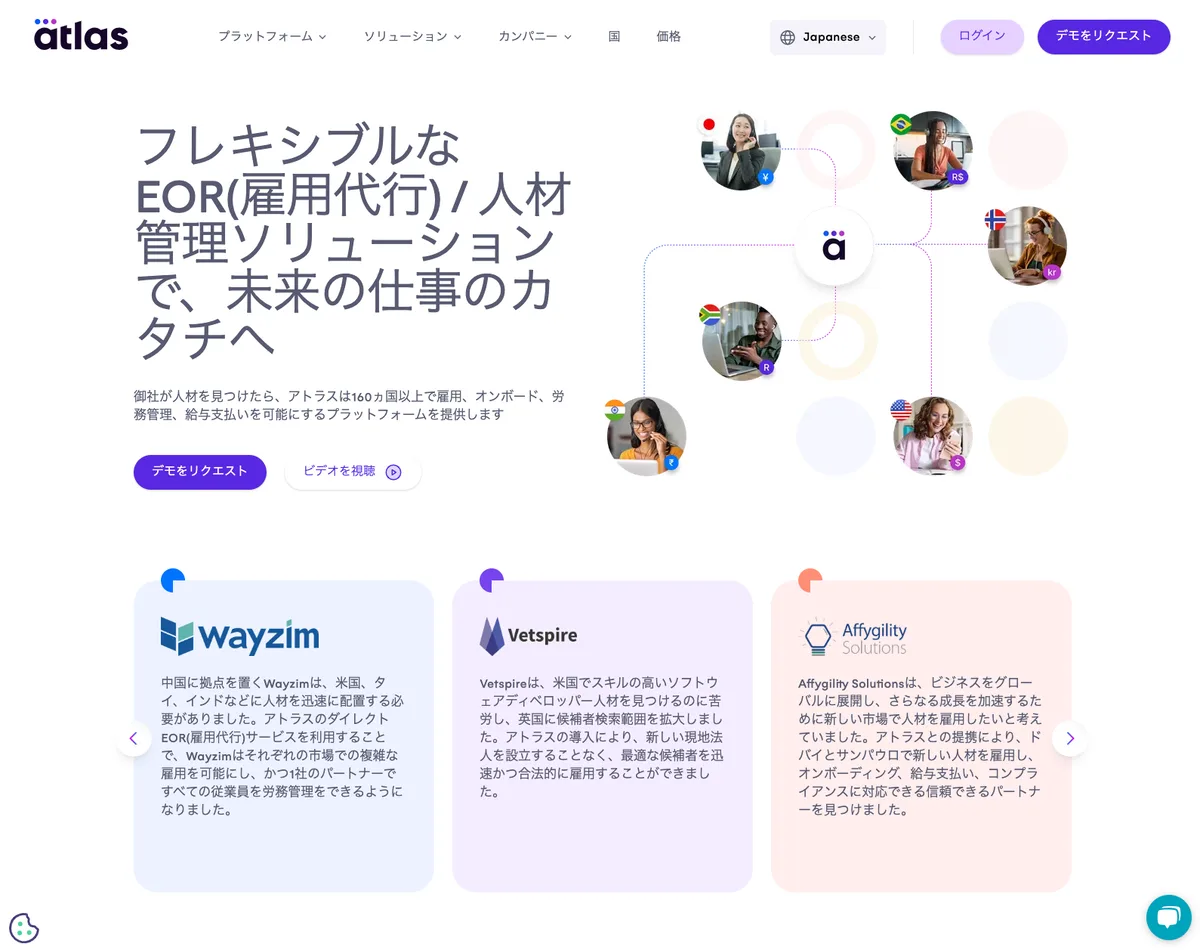
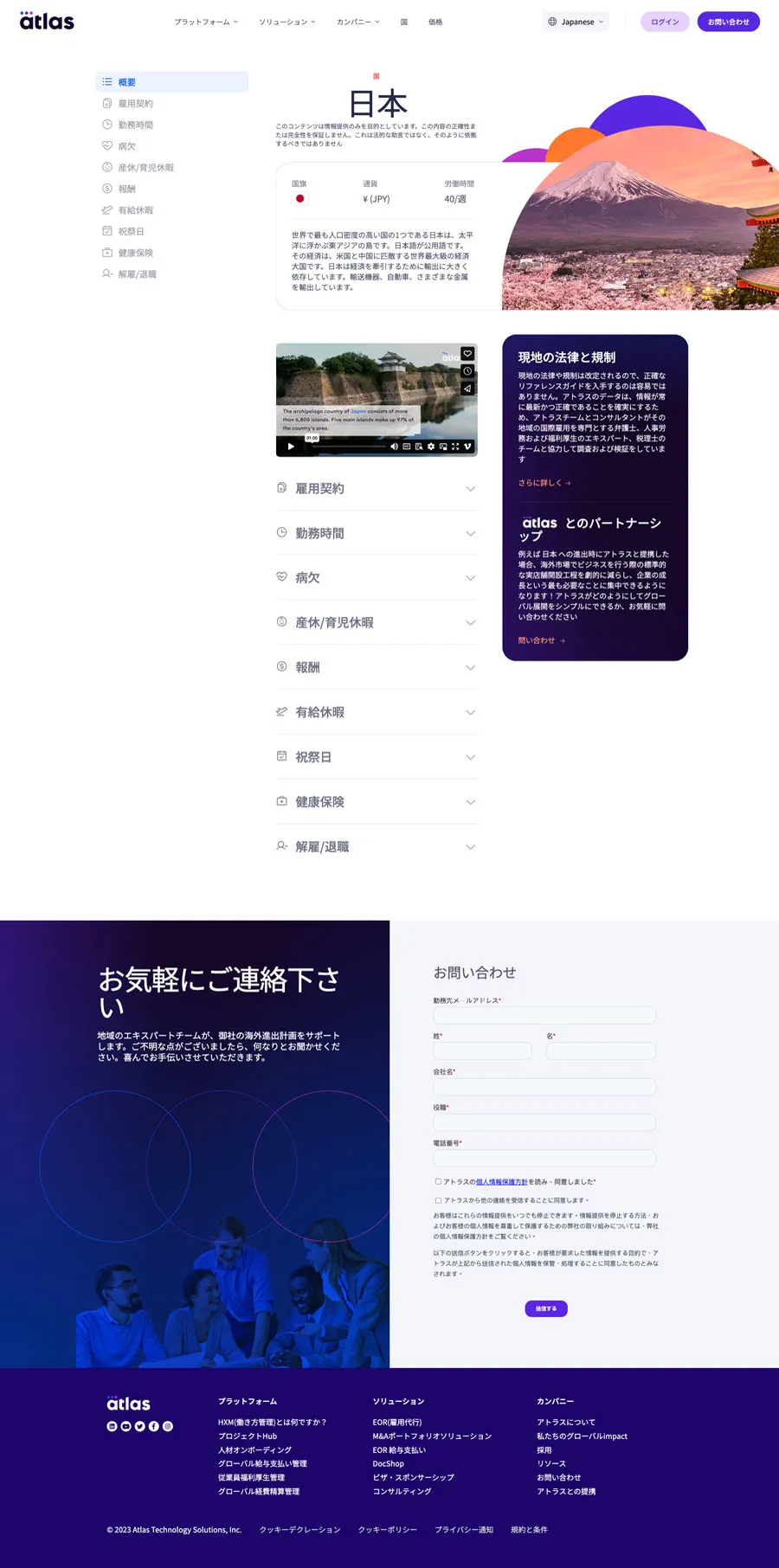
Atlas APAC Website Revitalisation

End-to-end revitalisation of the APAC websites for an HR Tech SaaS company, directing four designers across China, Australia and Japan.

  • +150%China organic traffic
  • +300%China paid traffic
  • ×2CTA conversion
Challenge
The team was responsible for the whole APAC region, so every design had to accommodate the cultures of several countries within one project.
Users
Business visitors in China, Japan, Australia and the wider APAC region evaluating an HR Tech SaaS platform.
My role
Web Design Manager, Regional (APAC): led the revitalisation end to end in an Agile framework, directed four APAC designers and owned the web workflow and design.
Approach
Agile delivery with headless CMS optimisation; ads and landing pages designed in-house; traffic analysis in HubSpot and Google Analytics; generative AI used for website and social content (Xiaohongshu, WeChat).
Outcome
China organic traffic up 150% and paid traffic up 300%, CTA conversion rates doubled, and 100% APAC GDPR/WCAG compliance.
Reflection
A shared workflow across markets did more for consistency than any single template.

The regional sites

Atlas APAC home page in English
APAC home
Atlas China home page in Simplified Chinese
China home
Atlas Japan home page in Japanese
Japan home
Atlas Japan country page in Japanese
Japan country page
Case study 04

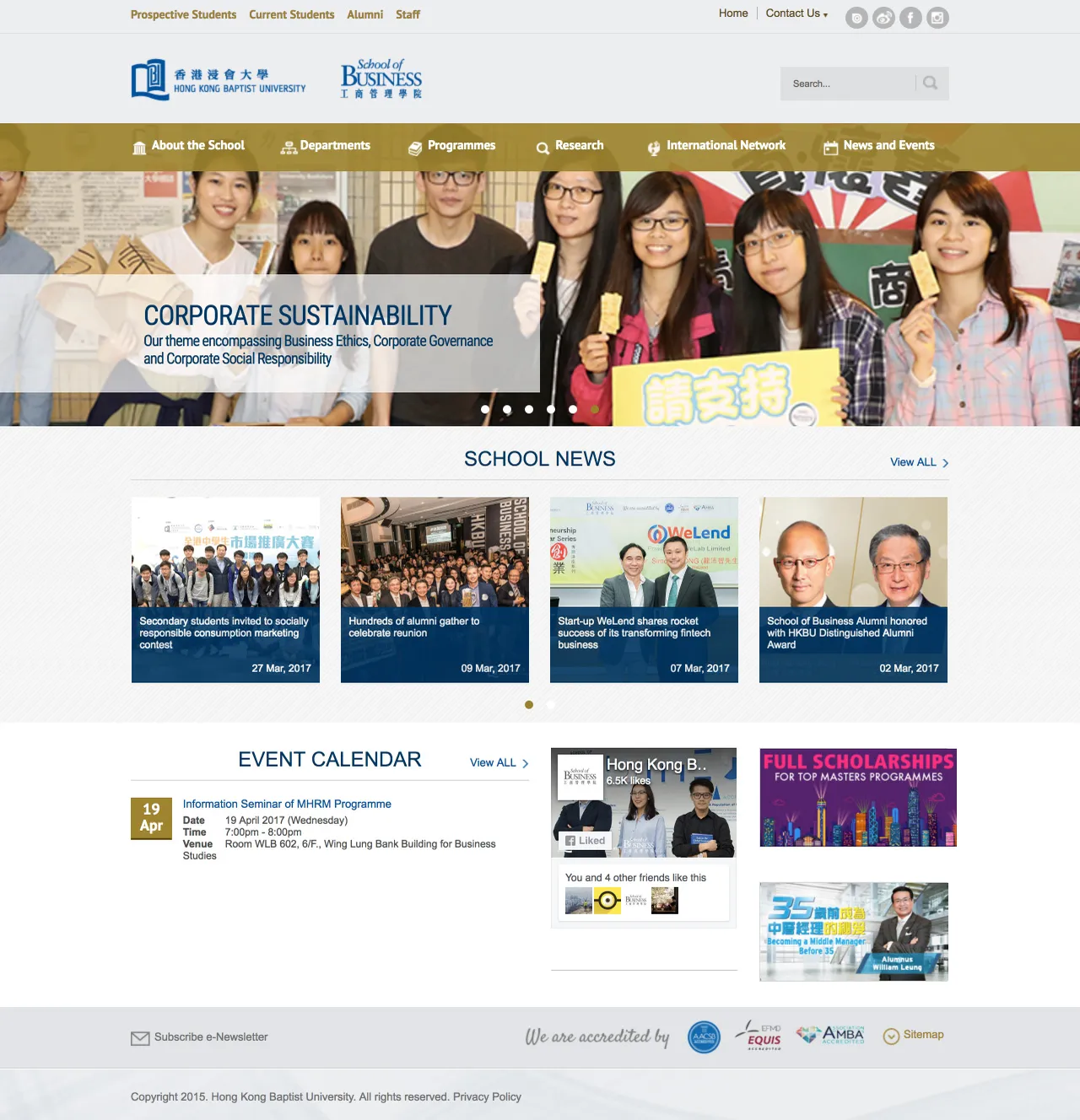
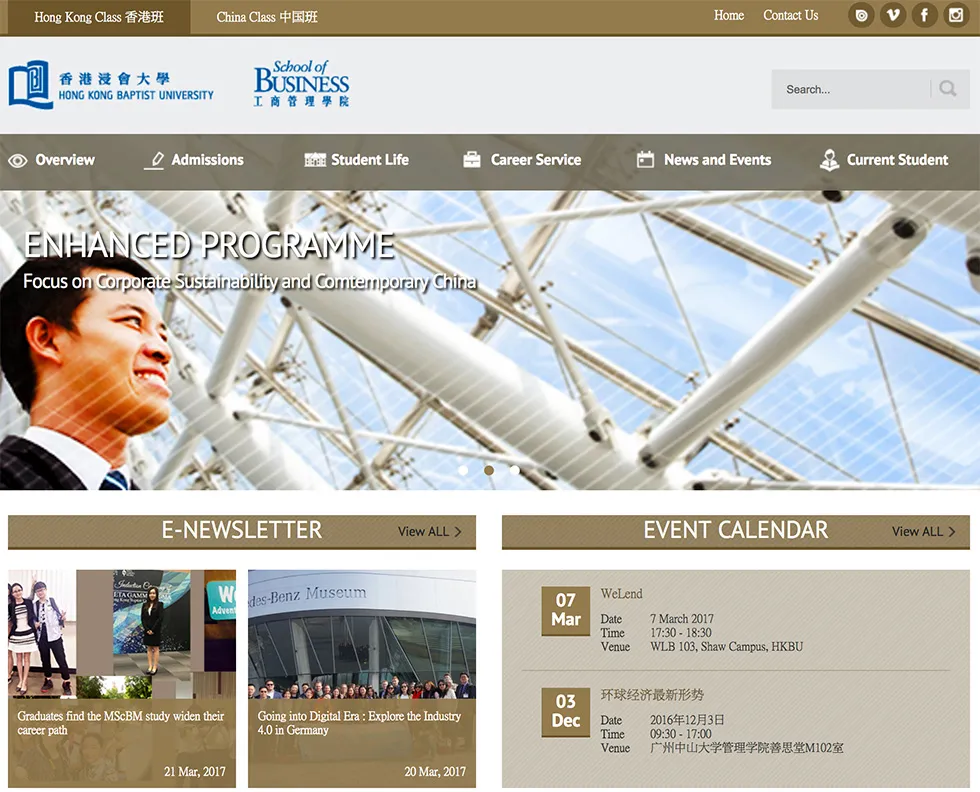
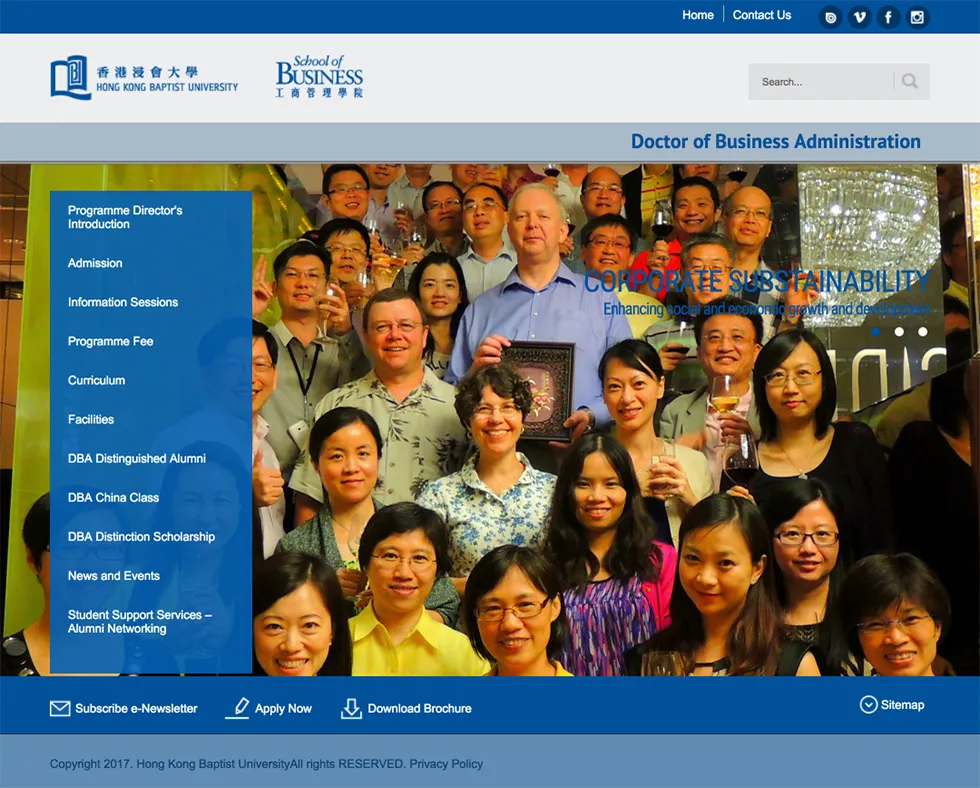
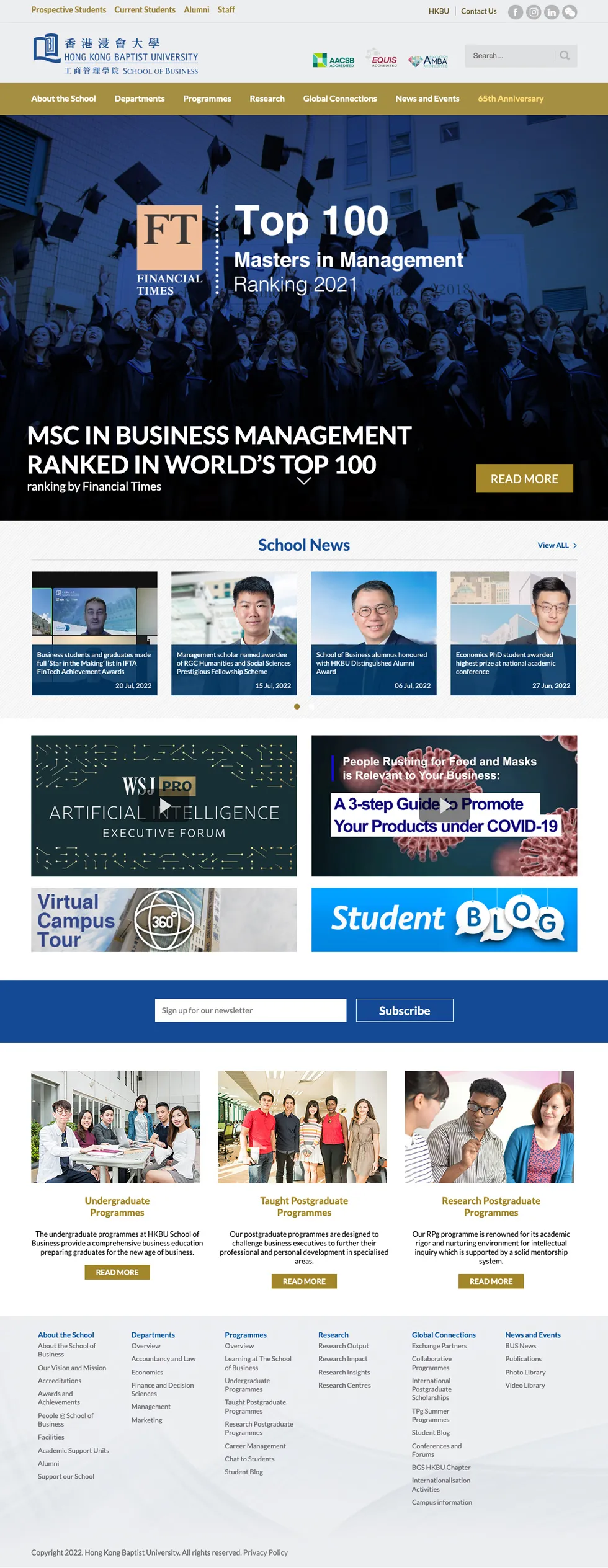
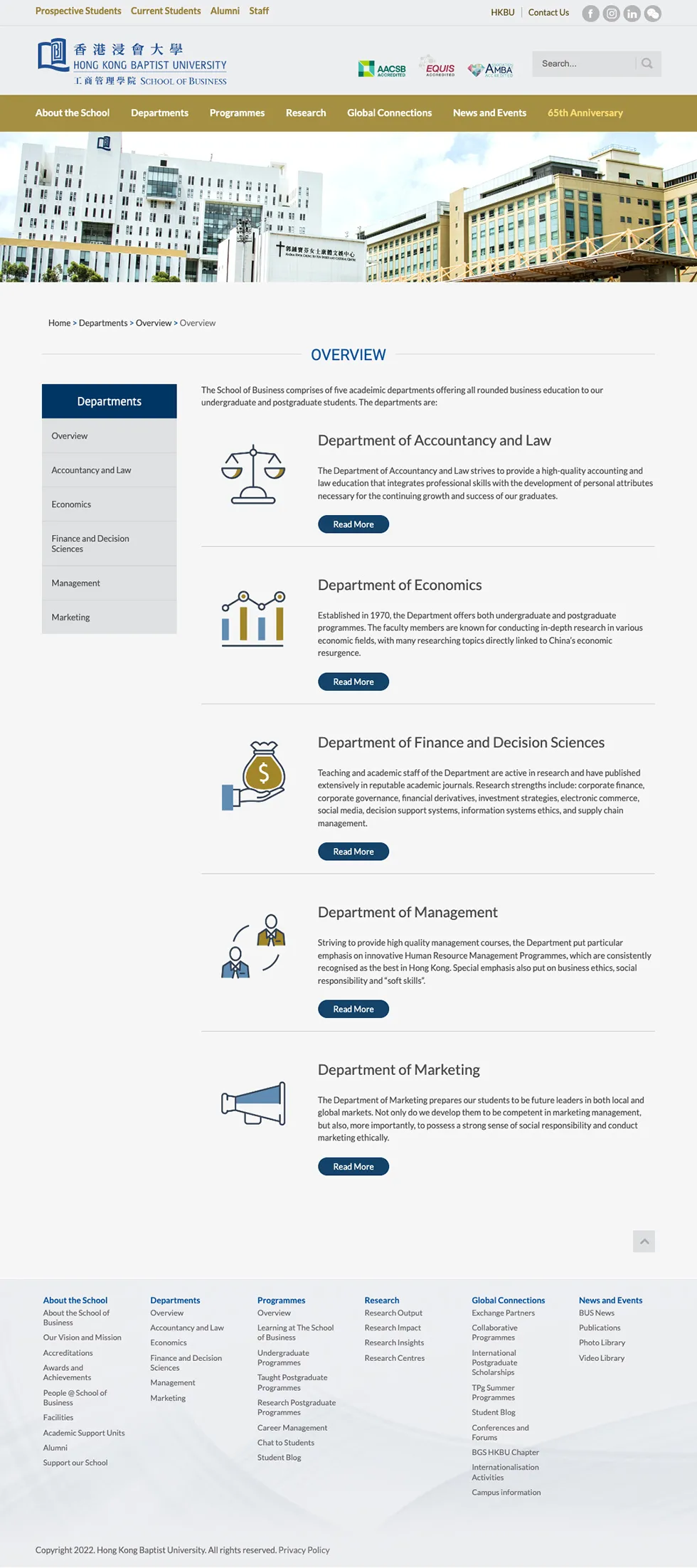
HKBU Website Revamp & CMS Workflow

Higher education website revamp and CMS workflow redesign, with cross-department stakeholder coordination.

  • +1,500%LinkedIn followers
  • +800%Instagram followers
  • +500%Facebook followers
Challenge
Outdated website and CMS workflow across a busy academic office.
Users
Prospective and current students, faculty, and administrative staff.
My role
Web and graphic design lead across the revamp, e-learning support and multimedia production.
Approach
Rebuilt CMS structure and content templates; coordinated sign-off across multiple stakeholders.
Outcome
A more maintainable site and content workflow for a five-year period of ongoing use, delivered ahead of deployment deadlines on multi-stakeholder CMS projects.
Reflection
Long-term maintainability matters as much as launch-day polish in an institutional setting.

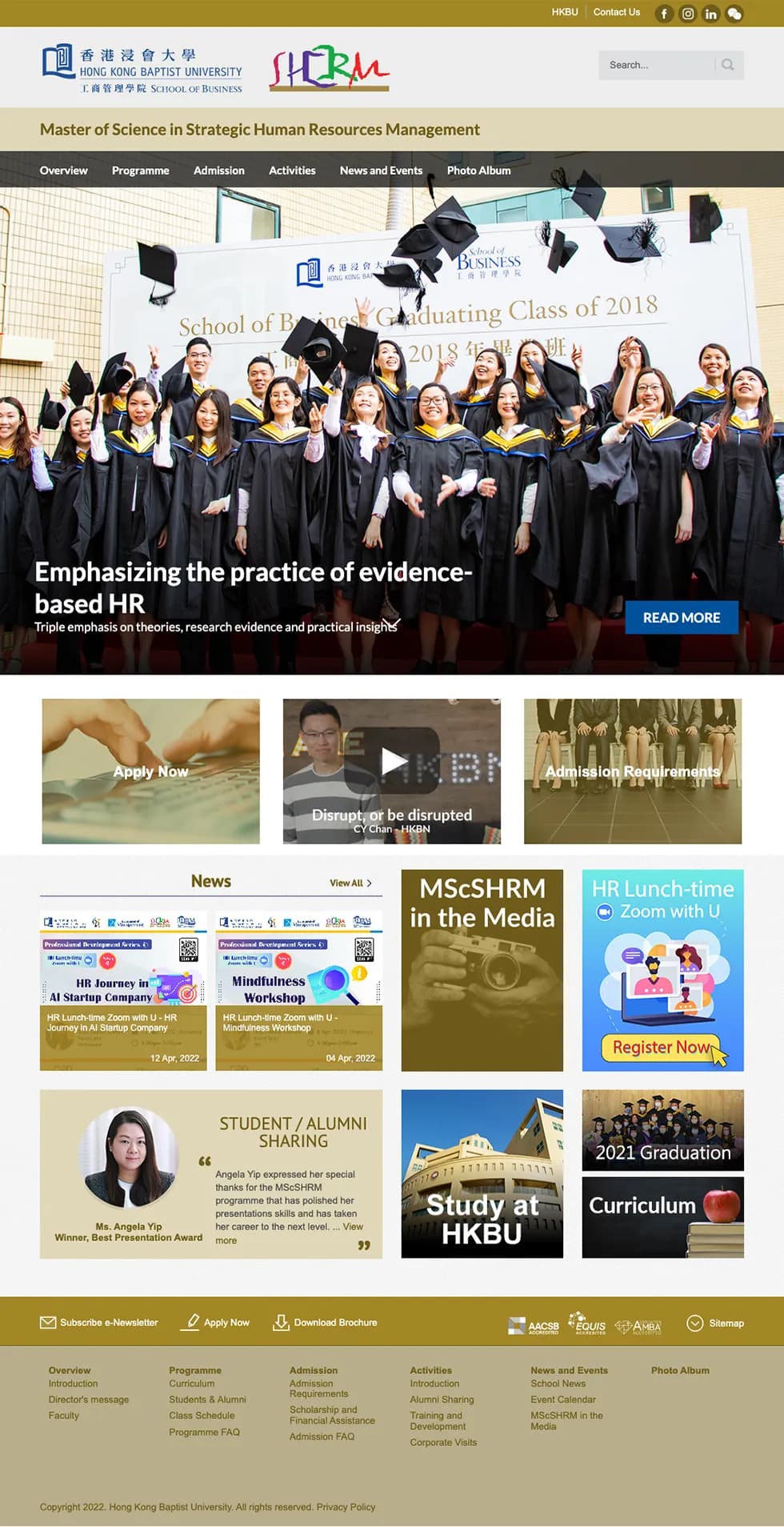
Before and after

Before

School home page before the revamp
School home page
Programme site home page before the revamp
Programme site
Programme page before the revamp
Programme page

After

School home page after the revamp
School home page
MSc programme site after the revamp
Programme site
Departments overview page after the revamp
Departments overview
Case study 05

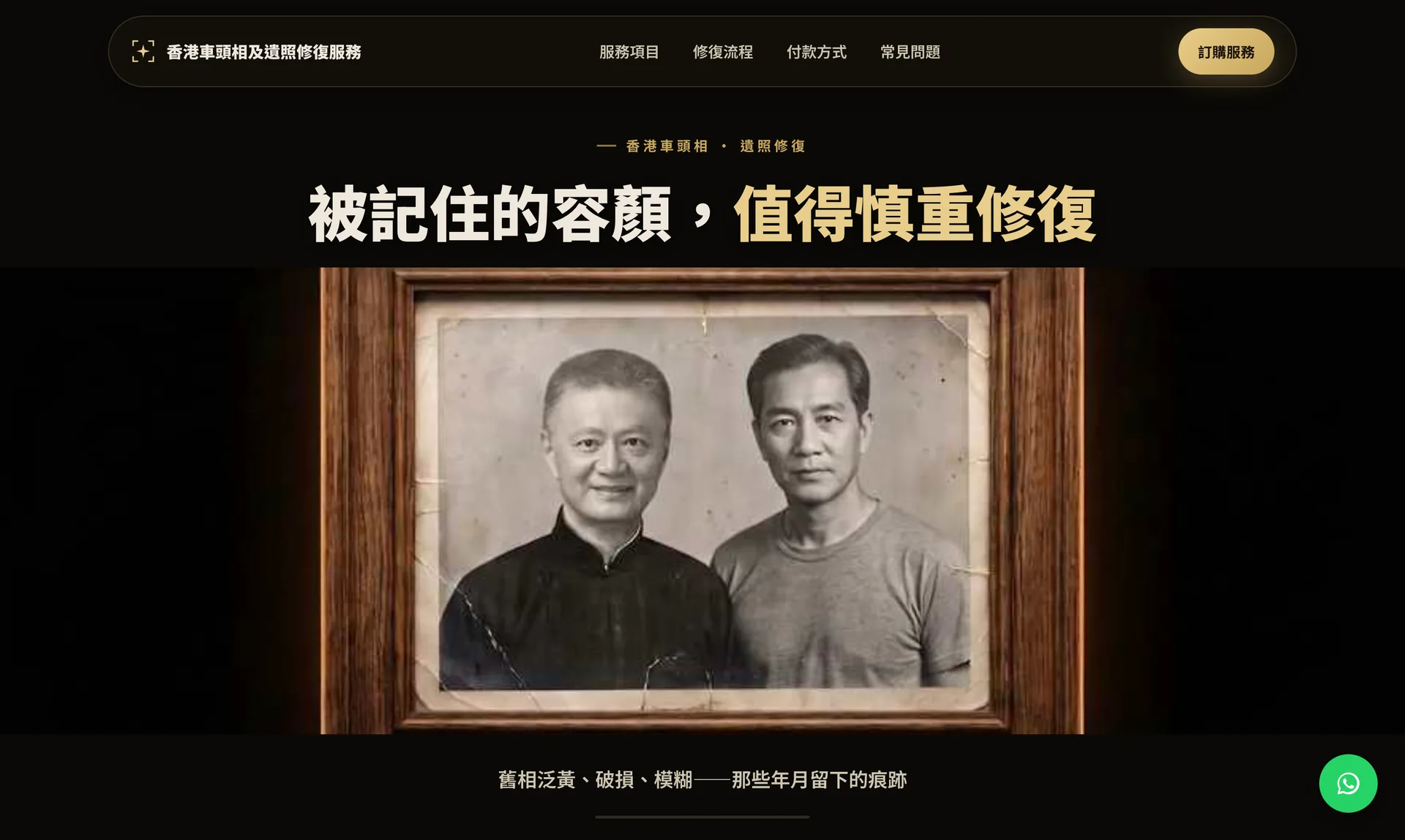
AI-Assisted Photo Restoration Platform

Used AI across the entire project lifecycle — market research, content strategy and website build — to independently conceive, launch and run a live, revenue-generating service.

  • Page 1of Google in organic search
  • 6.7average Google position, first 28 days
  • 74%impressions from mobile
Challenge
Wanted to test whether a full commercial product could be conceived, researched, written and built using AI end-to-end.
Users
Families needing a customised memorial photo restoration service.
My role
Sole founder/builder — idea, market research, content, website build and ongoing operation.
Approach
Used AI across the entire lifecycle: market research, content strategy, website build, plus AI-assisted image restoration for the service itself.
Outcome
Live, revenue-generating service with a complete customer ordering and payment journey. In the first 28 days on a new domain, organic search reached Google's first page, with an average position of 6.7. 74% of impressions came from mobile, matching the mobile-first design.
Reflection
Proof that I can take an idea from zero to a shipped, paying-customer product independently, using AI as a force multiplier at every stage.

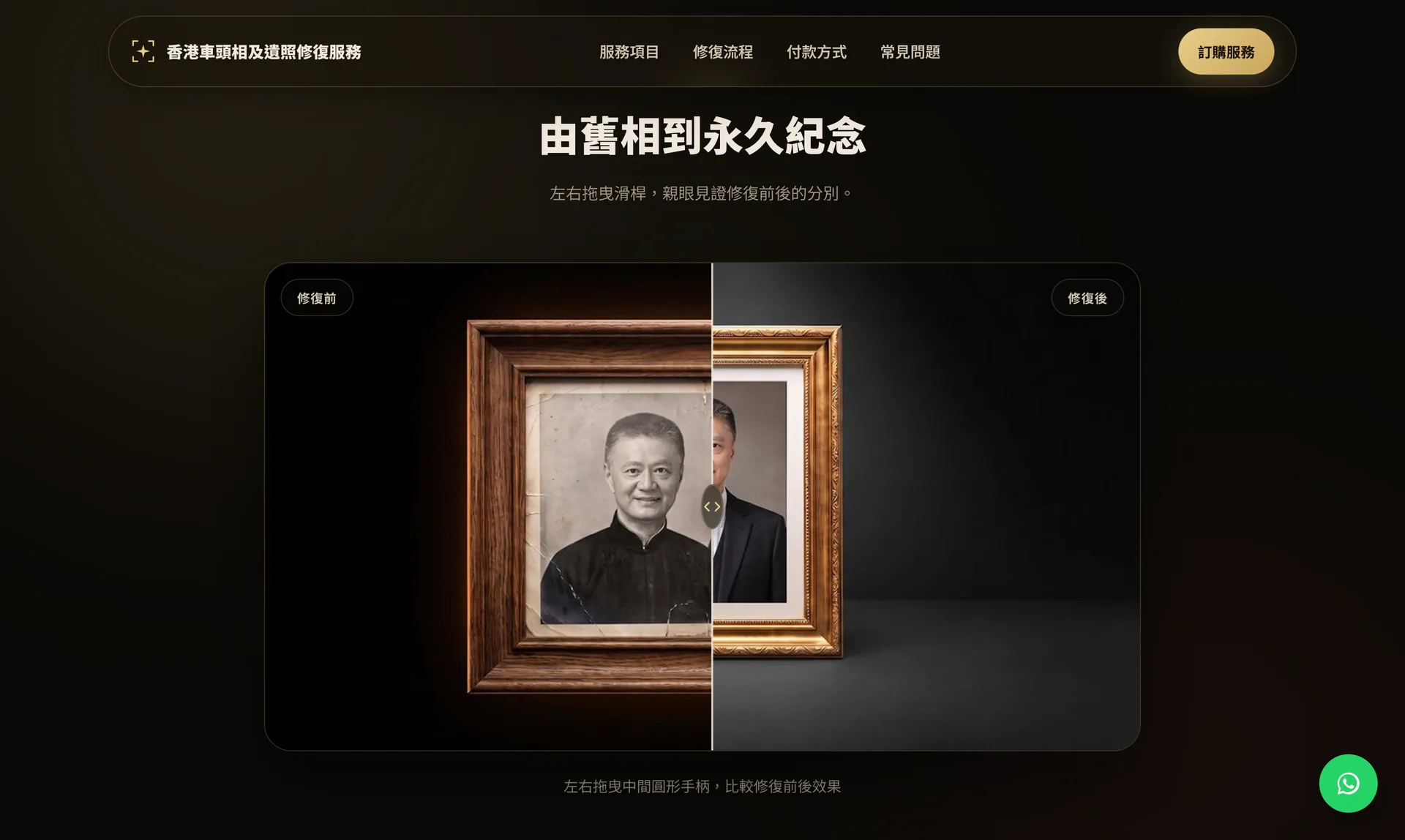
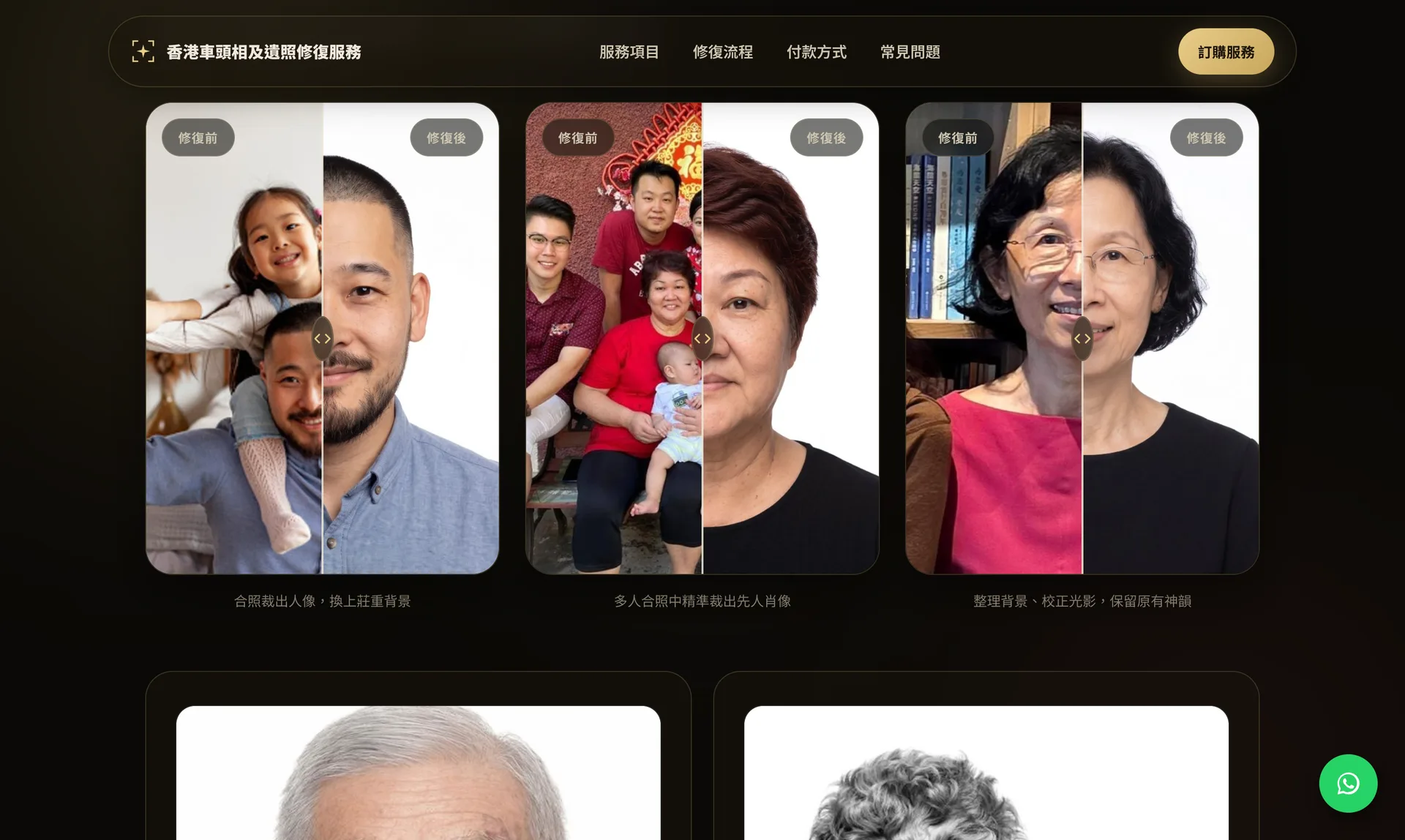
The live service

The site is in Traditional Chinese for its Hong Kong customers. All portraits shown are demo images.

Service home page with a restored portrait in a wooden frame
Home page
Before and after comparison of a restored portrait
Before and after comparison
Three example restorations shown as split before and after portraits
Example restorations
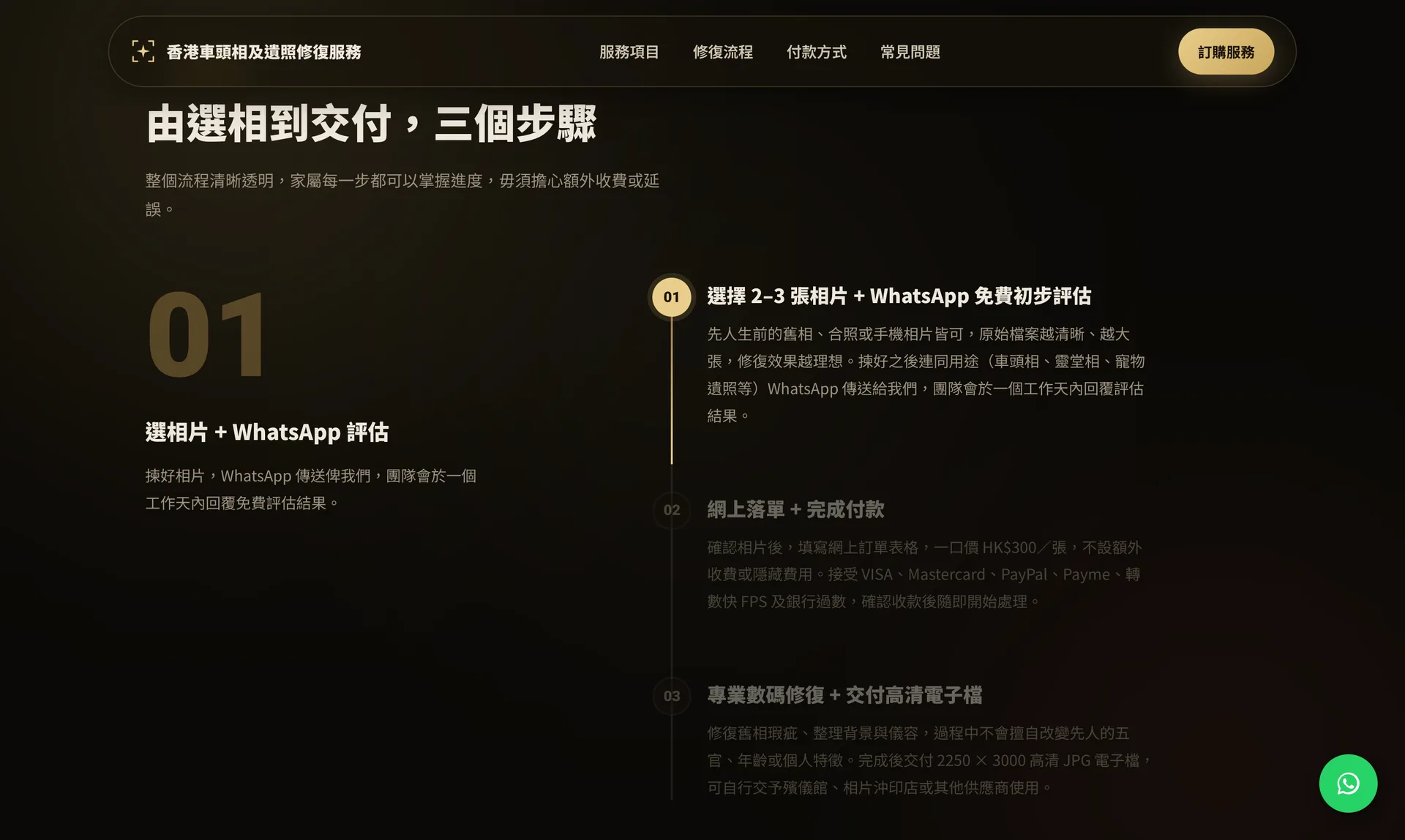
Three-step ordering process: choose photos, order and pay online, receive the restored file
Ordering in three steps
Case study 06In development

AI Family Task & Notice Assistant

AI reads school notices, sorts each item into a task, a schedule entry or general information, and files it into the Google Tasks, Calendar and Sheets the family already uses.

Challenge
School notices arrive as paper slips, PDFs, chat messages and eNotices. Details such as a changed dismissal time or a form deadline get lost, and the grandparents or helpers who do the school run often never see the update.
Users
Parents, who upload notices and approve the results, and caregivers, who only open the Google Calendar they already use.
My role
Solo designer and builder, currently in testing: the experience, the AI classification rules and the web app that connects to Google's services.
Approach
Built on Google services rather than a new app, so nobody has to learn anything new:
  • Google Calendar: events and school-run changes, shared with caregivers.
  • Google Tasks: what parents need to do, with deadlines.
  • Google Sheets: the family's record and history, kept in their own Google account.

A parent pastes text or uploads a photo or PDF. The AI splits it into items, classifies each one and flags anything it is unsure about. Nothing is written until the parent confirms.

Outcome
In testing with real school notices from my own family. Not yet validated with other families.
Reflection
Adoption is easiest when nobody has to learn something new: a grandparent just sees a calendar entry. The hard part was not reading notices but the edge cases, such as irregular lesson dates or cancelling one day of a recurring class. A human confirmation step means the AI never changes a record unchecked.

The current state

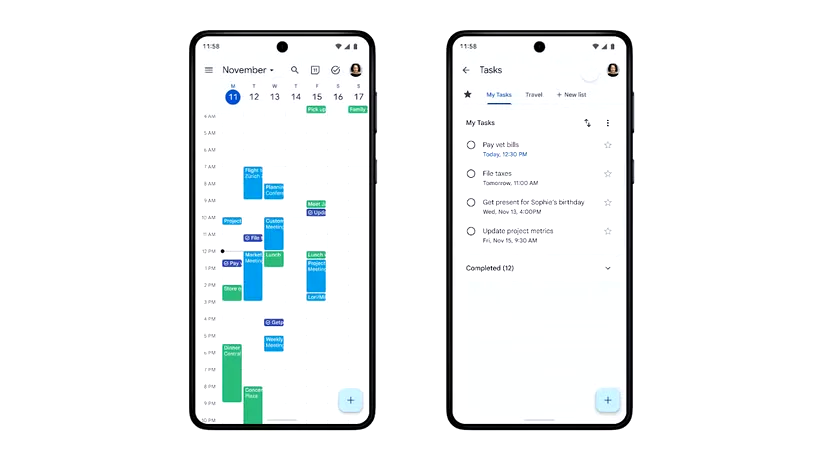
Google Calendar and Google Tasks side by side on two phones
Google Calendar and Google Tasks, the tools the family already uses

From idea to product

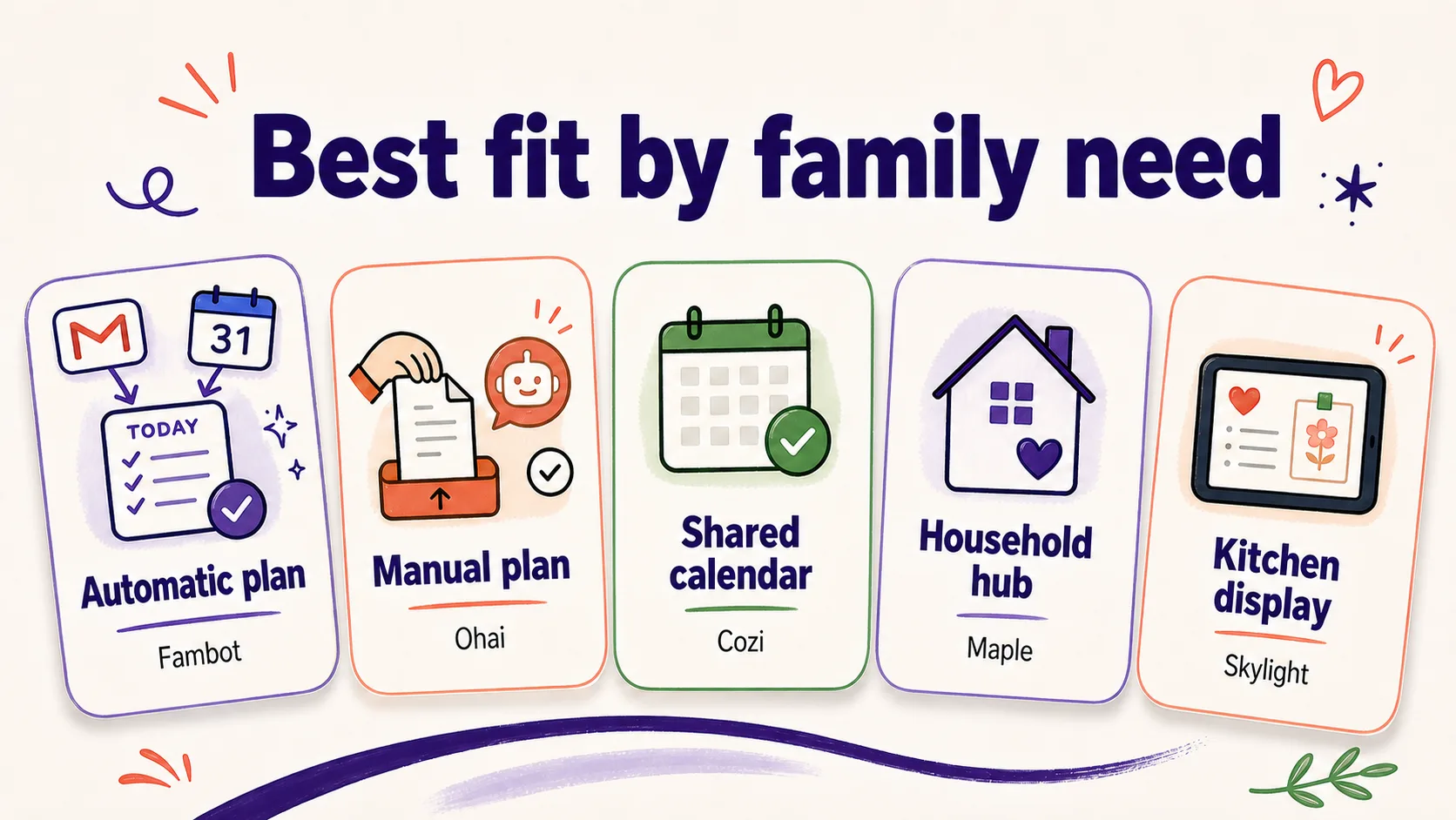
Diagram: best fit by family need, comparing five ways to plan
Best fit by family need
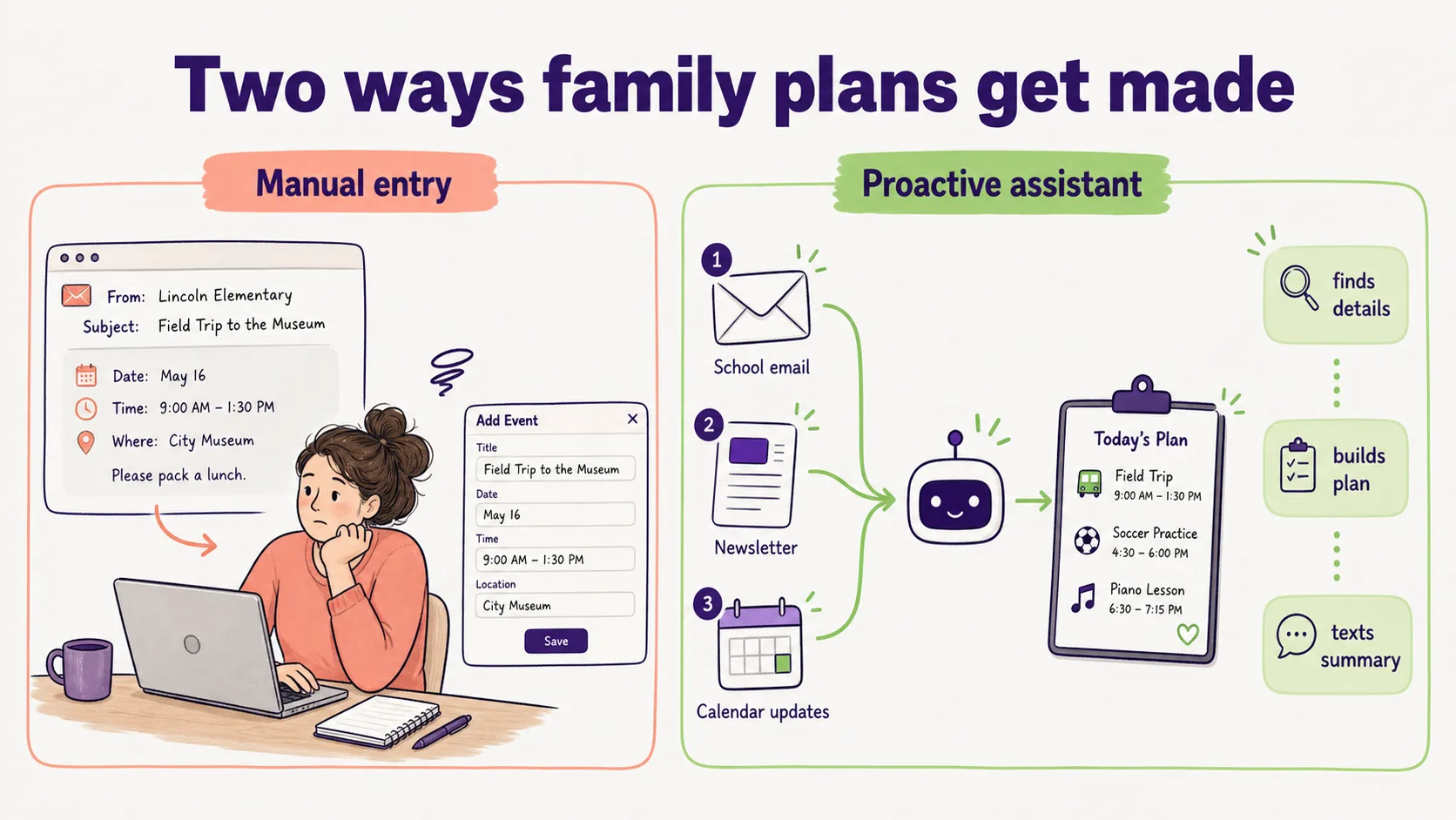
Diagram: manual entry compared with a proactive assistant
Two ways family plans get made
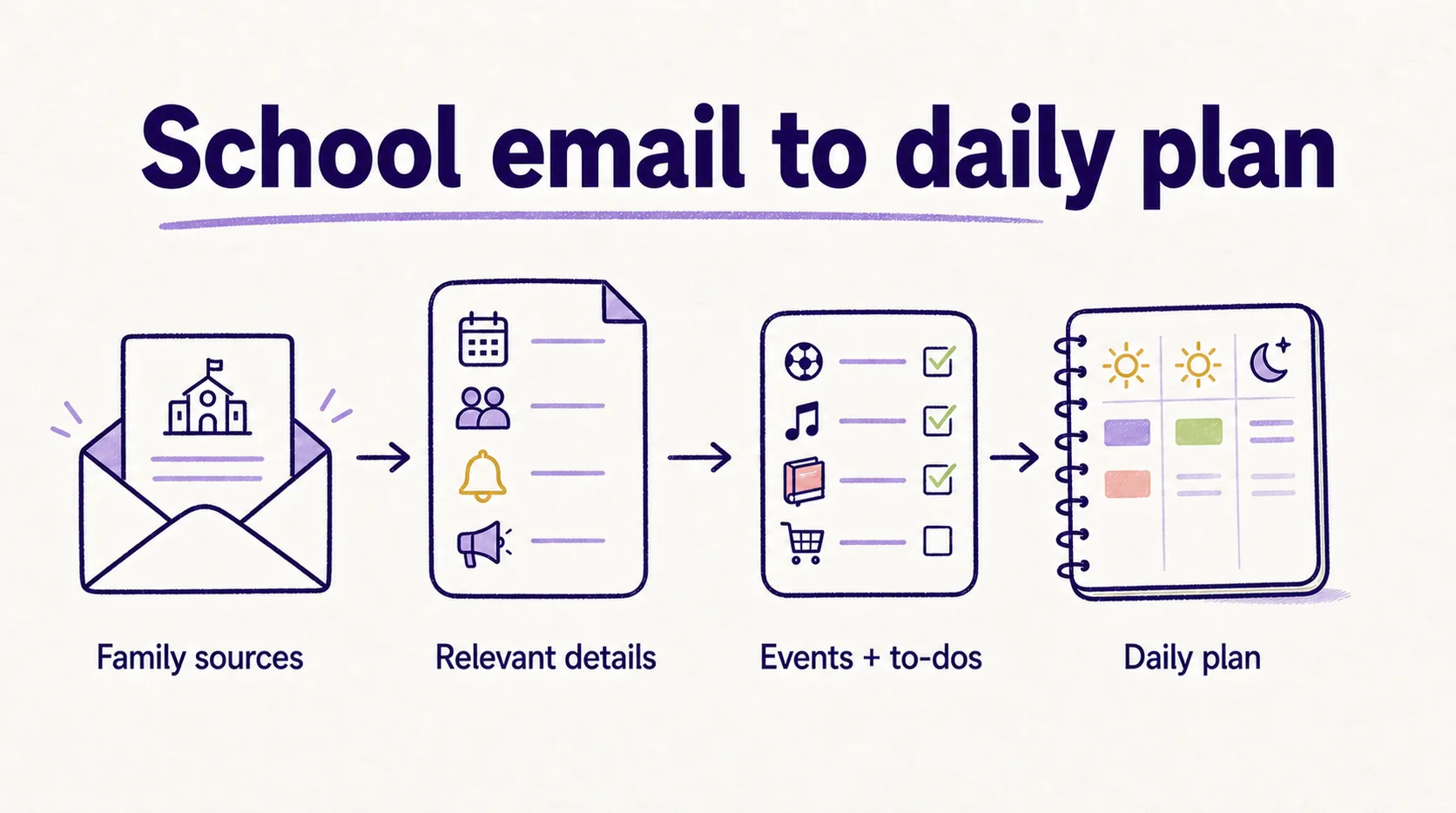
Diagram: from school email to relevant details, events and to-dos, then a daily plan
School email to daily plan
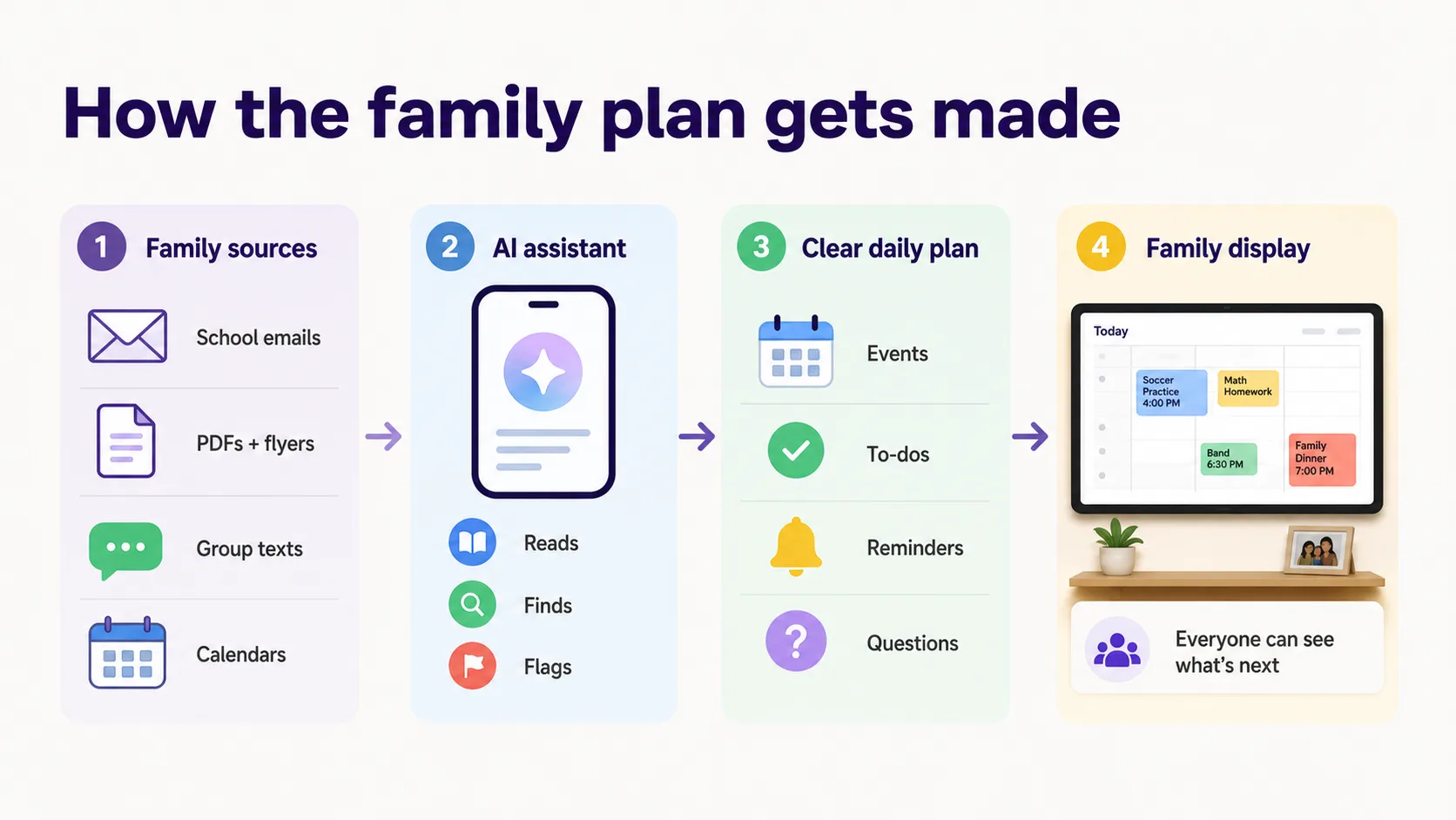
Diagram: family sources, AI assistant, clear daily plan, family display
How the family plan gets made
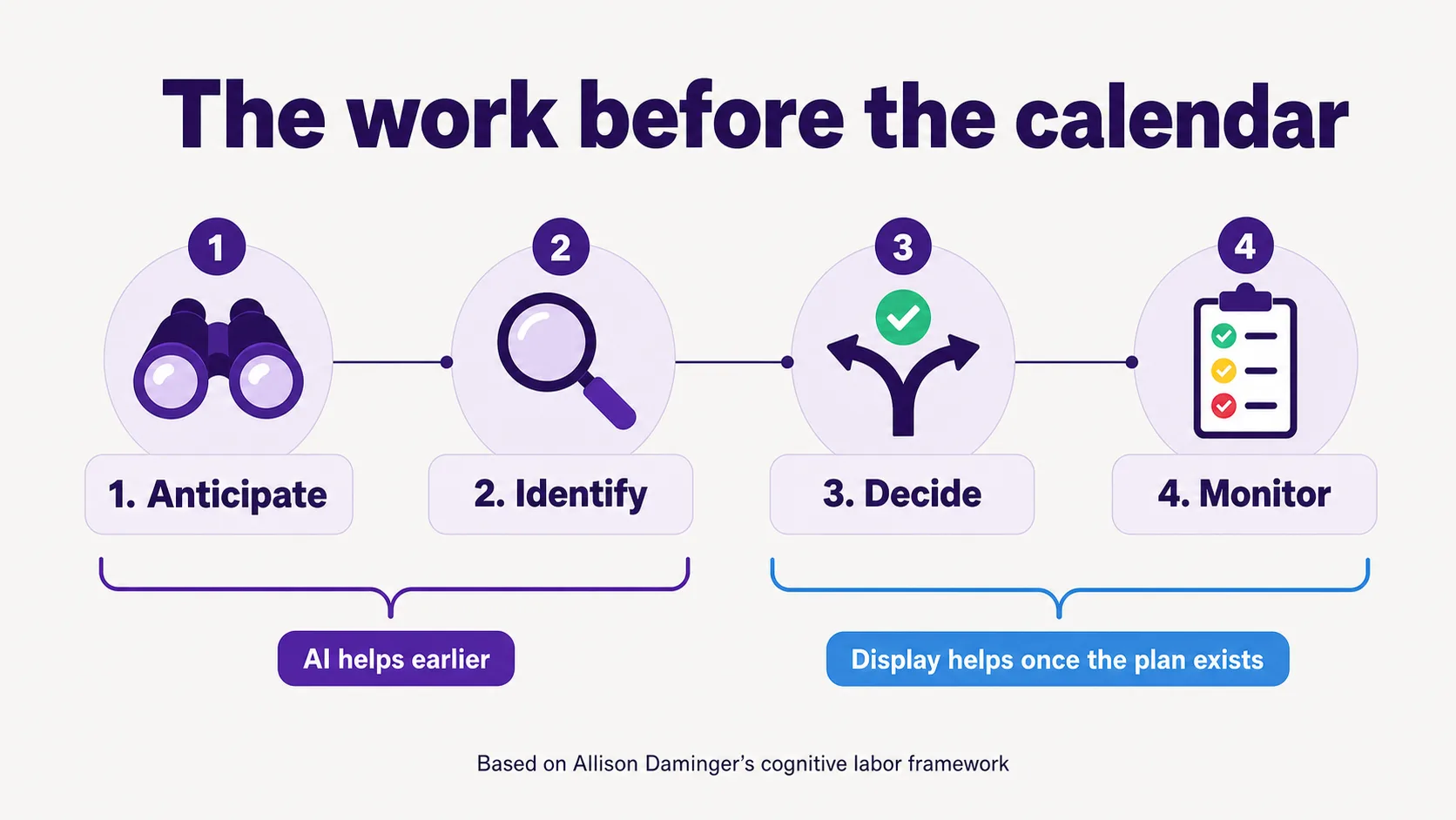
Diagram: anticipate, identify, decide, monitor
The work before the calendar

UX / CMS / Digital Platform Optimisation

General cross-project theme: user journey mapping, information architecture, accessibility and content structure improvements drawn from the projects above.

See the checklists I use